Side projects
About me
Résumé ↗
Listen (1m summary)
3:20 min
Project type
Internship
Timeline
Apr – Sep 2025
My role
Product & interaction design, UX research
Tools/methods
Figma, Balsamiq,
Material UI (MUI)
ReliablyME. When Accountability Starts to Feel Stressful
TL;DR
Redesigned an internal system for managing commitments in education and workforce programs.
As commitment volume increased, users lost orientation. They hesitated before taking next steps.
Within Material UI constraints, I reorganized hierarchy, time, and information flow to reduce cognitive load and support confident action.
✎...・゚: *✧・゚:*
What, where, why
ReliablyME helps managers track commitments made by interns and staff. What was promised, by whom, and what needs to happen next.
It supports programs that run for months or years.
Interns rotate. Staff change. Commitments remain.
The business goal was simple:

Keep managers confident as volume grows
Reduce operational drag

Avoid churn caused by “tool fatigue”
✎...・゚: *✧・゚:*
There was a not-so-tiny problem…
The system worked OK for low-volume, occasional usage.
At scale, it stopped supporting how users actually worked.
Past ~10 active commitments:
Users lost orientation
Commitments looked the same at a glance
Context reset between screens
Users lost track of where they were
Rereading ≠ action
Users scanned the same items repeatedly
Meaning had to be reconstructed each time
Simple decisions took extra effort
Hesitation before next steps
Obvious actions felt uncertain
Users paused to double-check
External tools felt safer
Nothing is broken. But everything takes effort.
That’s when friction becomes dangerous.
“I have to reread things to remember what I am looking at. I mostly just skim through”
“I prefer to do things through Slack because the web app is too much hassle”
My design goal was to reduce cognitive effort. Users needed to know instantly where they were, what mattered, and what to do next.
No rereading or second-guessing.
Success meant confidence and flow, not visual simplicity.
✎...・゚: *✧・゚:*
Designing for action
Commitments started stacking.
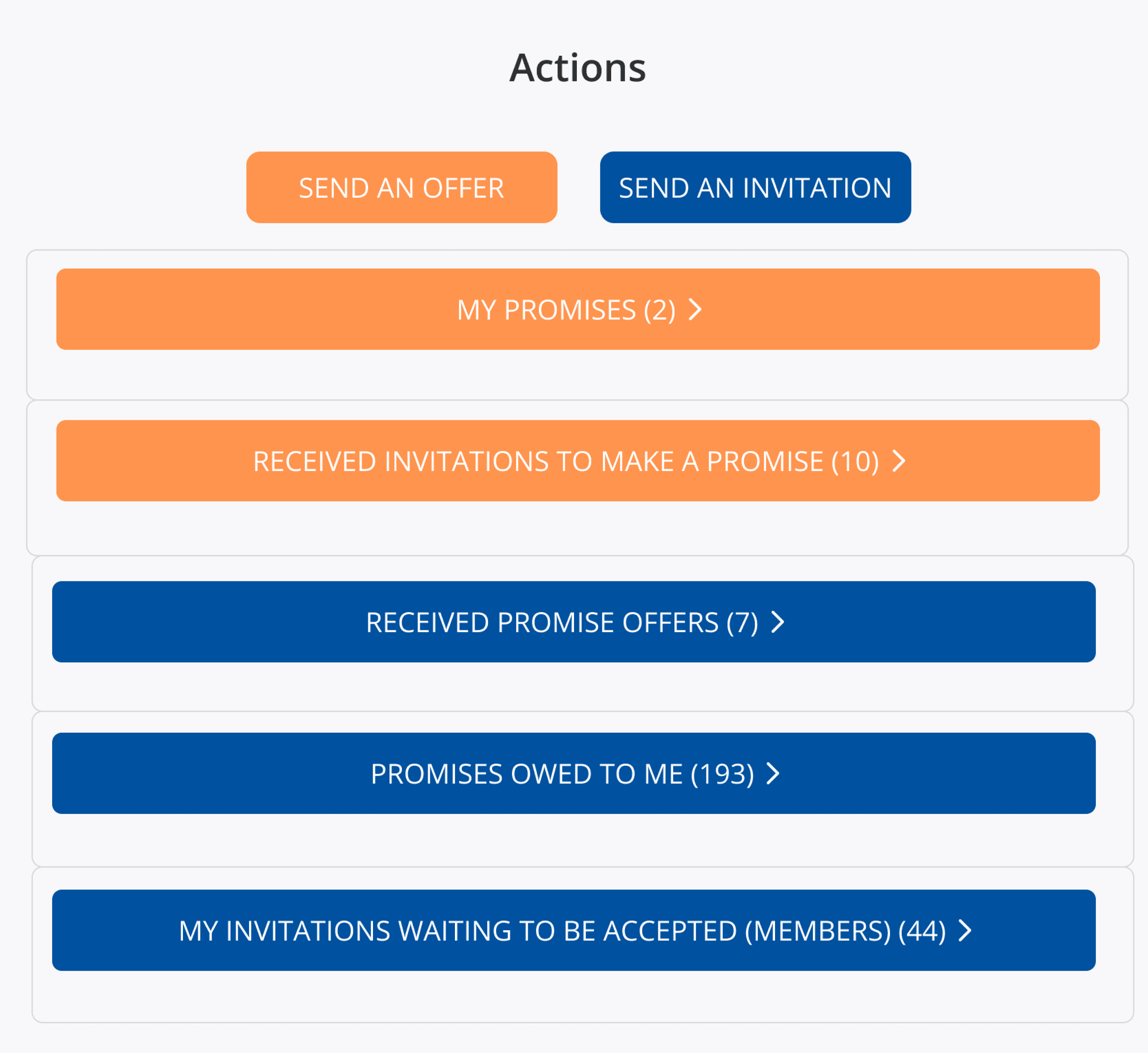
No bulk actions.
One section open at a time.
Context disappears as you move. Small friction, repeated constantly.
You receive a commitment. Then another.
They all look the same.
Staying oriented takes more time than responding.

✎...・゚: *✧・゚:*
Exploration & Tradeoffs
My initial instinct was to collapse and hide information.
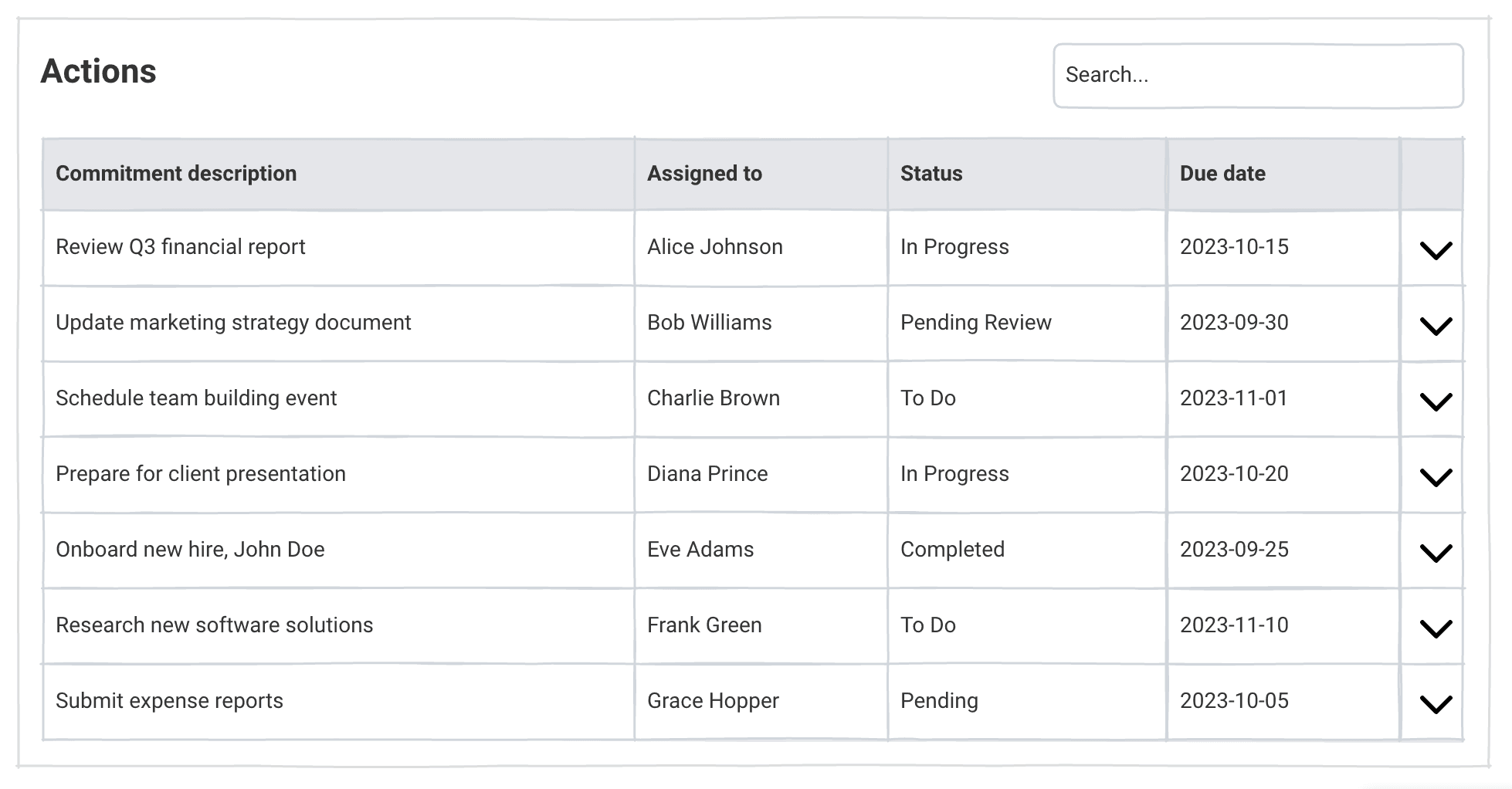
Progressive disclosure
It cleaned up the screen.
Power users paid the price.
Scanning turned into constant clicking.
Filters & options
These worked for the people who configured them.
But the interface lost a shared point of reference.
Turns out, control is not always helpful.
In this context, users wanted clarity, not configurability.
✎...・゚: *✧・゚:*
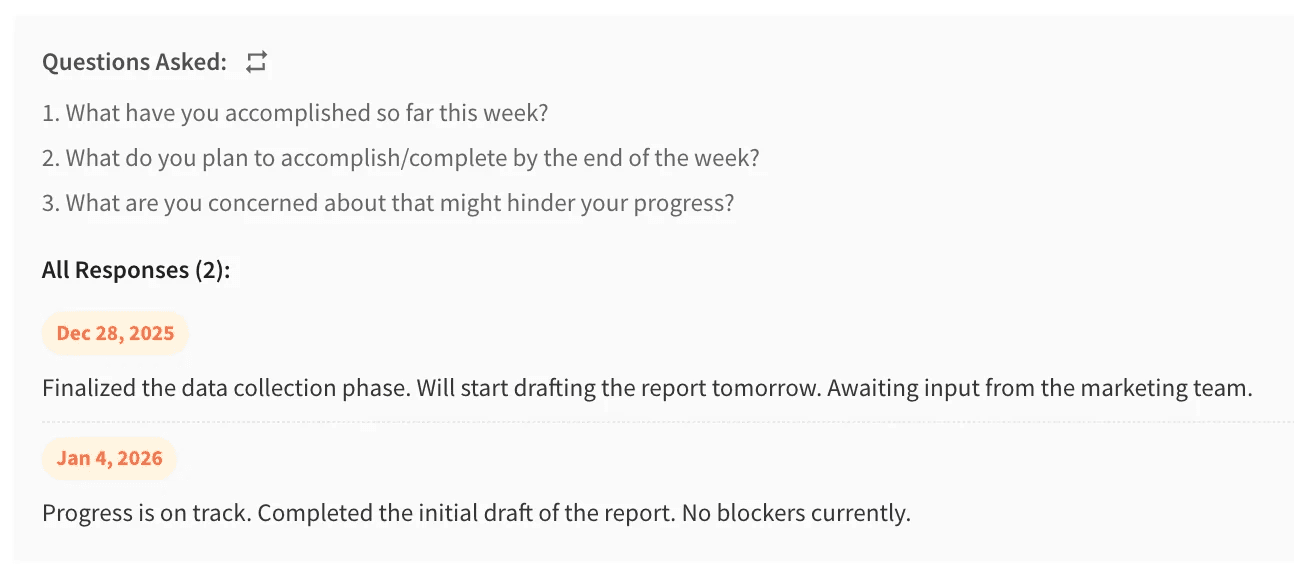
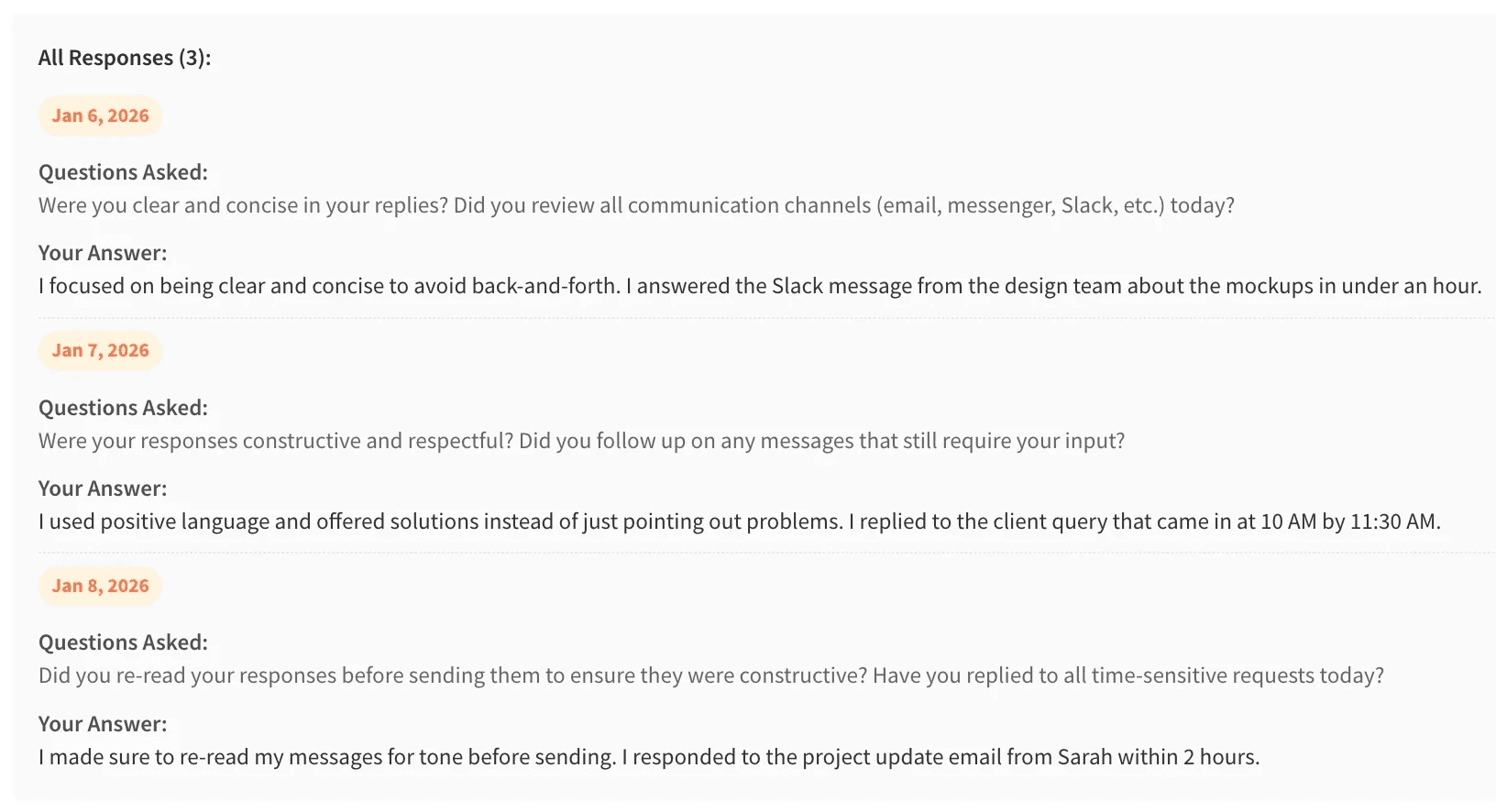
Some commitments were recurring "nudges."
But, they represented two behaviors: routine prompts and progressive challenges.
Treating them identically forced rereading.
I separated them to restore recognition and flow.
✎...・゚: *✧・゚:*
Sessions varied. Some were about understanding history, others about moving fast.
A single layout could not serve both.
Based on observed usage patterns, I introduced two explicit modes.
Regular for context and understanding, and Table for scanning and speed.

✎...・゚: *✧・゚:*
Constraint that improved the work
Two weeks in, engineering clarified a critical constraint.
All changes had to stay within Material UI.
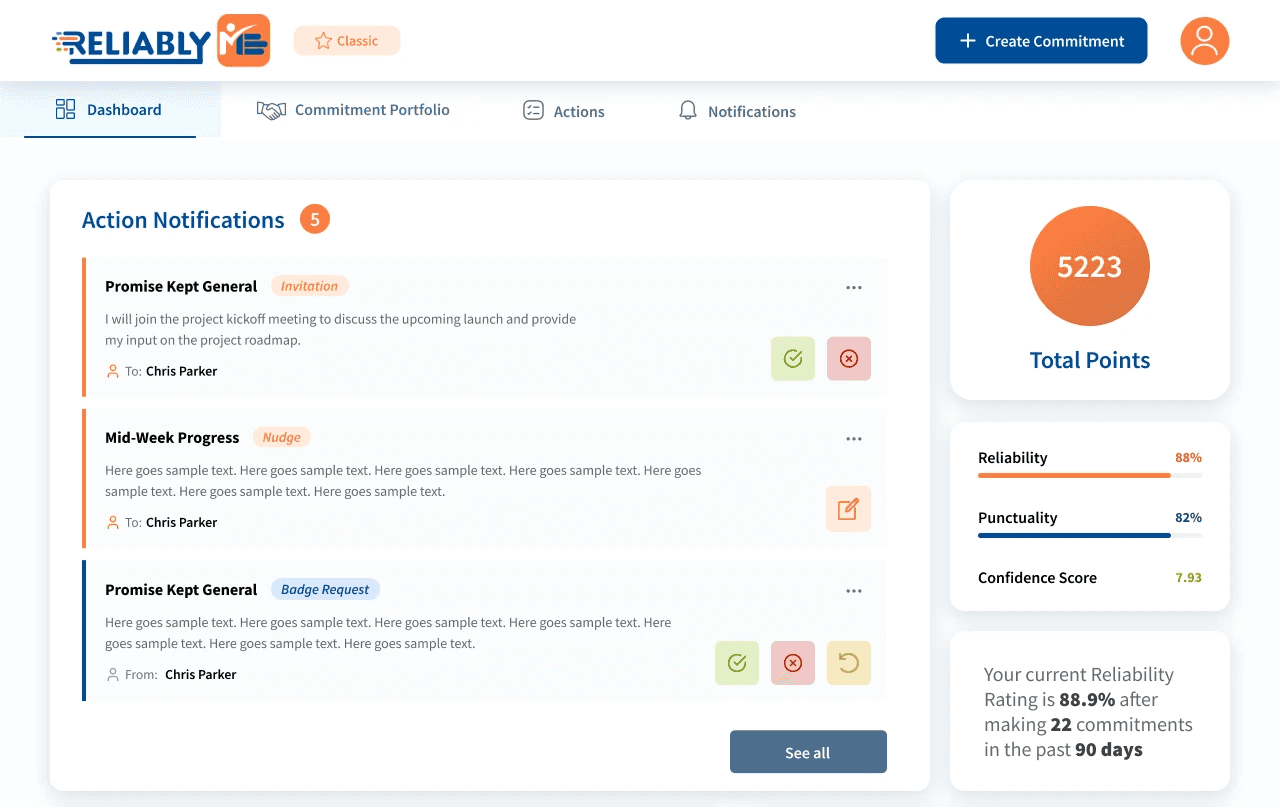
Which rendered this design useless.
No new components. Or interaction models.
Progress came from restructuring, not adding UI.
Clearer hierarchy, intent-based tabs, and visible system state instead of explanatory copy.
✎...・゚: *✧・゚:*
All accurate.
All competing for attention.
Dates as a Cognitive Problem
Each commitment contained three valid dates:
Committed
Due
Approved
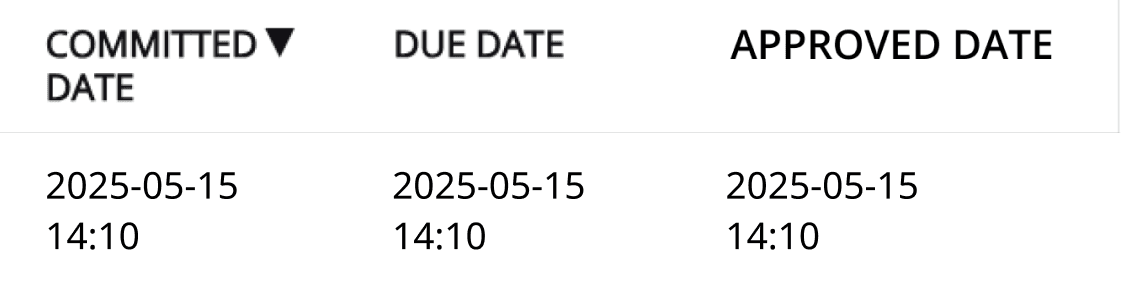
I tried colour, icons, and copy. None reduced hesitation.
So I enforced a rule everywhere:
Committed → Due → Approved
Only 1 date receives emphasis based on relevance.
Due date for active commitments

Approved date for badges
(completed commitments)

✎...・゚: *✧・゚:*
Validation & Outcomes
This was iterative, applied work. Not a standalone research program.
Signals were directional but consistent across sessions.
~30%
reduction in median time to identify the next required action
Clarification questions around dates and status decreased noticeably
“What took me 2 minutes, now takes 30 seconds at most”
Internal reviews shifted from “where is this?” to “what should we do?”
* a coworker talking about the prototype
* first-time internal users, guided walkthroughs, n=6
✎...・゚: *✧・゚:*
Why This Mattered
The project wasn't about polish.
It addressed a subtle failure mode that appears only at scale.
When products transition from “works fine” to “quietly exhausting.”
Less mentally taxing for high-volume users
Users could work through many items without rereading or losing track. The system reduced the effort needed to process and act at scale.
Easier to onboard for new interns
Interns could understand what they were looking at and what to do without onboarding or lengthy FAQs.
Simpler to audit decisions over time
It was possible to see what happened and why without extra investigation.
✎...・゚: *✧・゚:*
What I learned
Real UX work is iterative, constrained, and messy, but still meaningful
Scale exposes weaknesses small systems hide
Dates need hierarchy, not abundance
I design systems by discovering what I missed